Best Gaming Accessories for Budget Gamers
- sunny Mdhr
- Feb 10
- 3 min read

Even if you’re building a budget gaming PC, the right accessories can make a huge difference in your gameplay. You don’t need to spend hundreds of dollars to enjoy a smooth, responsive gaming experience. In this guide, we’ll explore the best gaming accessories for budget gamers that are affordable, reliable, and improve your overall setup.

Check out all our guides and resources at Budget Gaming PC Lab.
Why Budget Gaming Accessories Can Make a Difference
Many gamers assume that only expensive peripherals matter, but the truth is, even affordable accessories can significantly improve your performance. For example, a precise gaming mouse or a responsive keyboard can make aiming and reaction times much better.
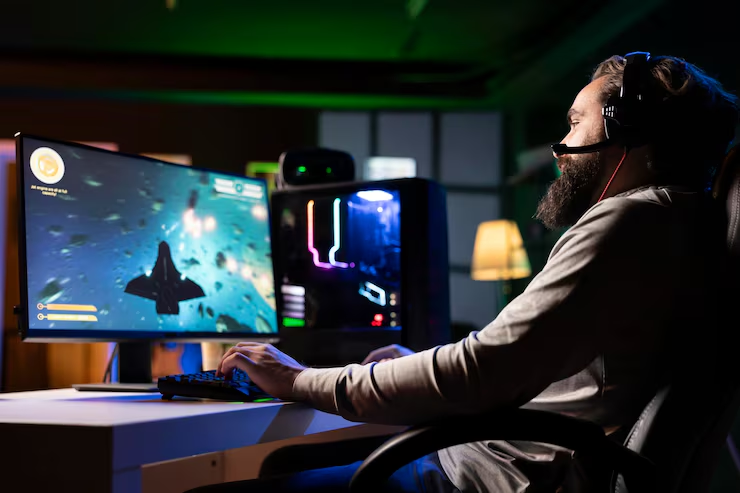
According to Tom’s Hardware, choosing the right accessory doesn’t require breaking the bank.
Also, if you’re thinking about building a budget PC or buying pre build PC, don’t forget to check out our blog on Is It Cheaper to Build a PC or Buy a Prebuilt? to make sure you make correct desicion when buying PC.
Top 5 Gaming Accessories Under $50
Here are our top picks for budget-friendly gaming accessories:
Accessory | Why it’s good | Approx Price | |
1 | Gaming Mouse | Accurate sensor, ergonomic design | $25 |
2 | Mechanical Keyboard (Budget) | Fast response, enjoyable click | $40 |
3 | Gaming Headset | Clear sound, decent mic | $30 |
4 | Mouse Pad | Smooth surface for precise tracking | $10 |
5 | Controller | Works for PC and console | $45 |
If you’re not just looking for the right budget gaming accessories, but also want to build a complete gaming PC without breaking the bank, check out our detailed guide on How to Build a PC: A Step-by-Step Beginner Guide (2025) to see how all the pieces come together for an affordable, high-performance setup.
Gaming Mouse

A good gaming mouse doesn’t have to cost $100. Look for adjustable DPI and ergonomic shape. This small upgrade can improve your aim and comfort for long gaming sessions.
Budget Suggestion: Logitech G203 ($25), Redragon M602 ($20)
Mechanical Keyboard

Even budget mechanical keyboards can give you faster key response than standard membrane keyboards. Perfect for FPS or MOBA games.
Budget Suggestion: Redragon K552 ($35), Aukey Mechanical Keyboard ($30)
Gaming Headset

A clear headset with a decent mic enhances communication in multiplayer games and lets you hear subtle in-game audio cues.
Budget Suggestion: HyperX Cloud Stinger ($30), Corsair HS50 Pro ($35)
Mouse Pad

A quality mouse pad allows smoother movement and better tracking for all types of mice, whether optical or laser.
Budget Suggestion: SteelSeries QcK ($10), Razer Goliathus ($12)
Controller

Controllers aren’t just for consoles. Many PC games work perfectly with a budget-friendly controller, giving you more versatility in gameplay.
Budget Suggestion: Fantech EOS PRO II WGP15 V2($50), EasySMX Wired Controller ($20)
Tips to Choose Gaming Accessories on a Budget

For more PC performance tips, check our blog: How to Optimize Your PC for Gaming Without Upgrading Hardware.
Conclusion
Affordable gaming accessories don’t just save money—they improve your gameplay and overall experience. By carefully selecting the right mouse, keyboard, headset, and other peripherals, you can enjoy competitive gaming without breaking the bank.

Start with one or two essential accessories and gradually expand your setup. Don’t forget to explore our blogs and guides to make the most out of your budget gaming PC:


Comments