How to Build a PC: A Step-by-Step Beginner Guide (2025)
- sunny Mdhr
- Feb 3
- 4 min read

Updated: Feb 6
Building a PC for the first time can feel intimidating. There are many components, technical terms, and opinions online that make the process seem more complicated than it really is. The truth is, learning how to build a PC is much easier than most people think—especially when you understand the basics.
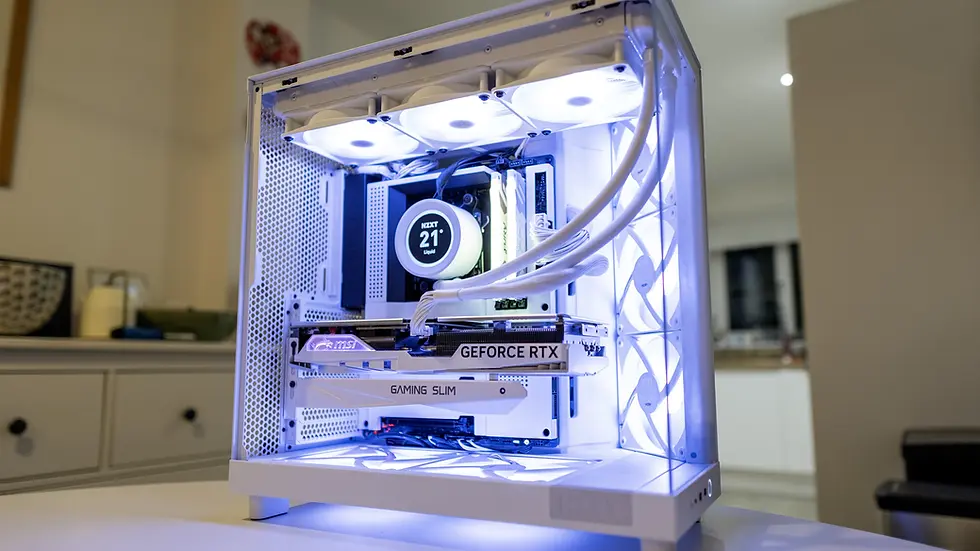
This beginner-friendly guide will walk you through how to build a PC step by step, explain what each component does, and help you avoid common mistakes. Whether your goal is a budget gaming PC or a general-purpose system, this guide will help you get started with confidence.
If you’re planning a budget-friendly setup, you can also check our PC Build Guide to understand part compatibility and cost planning.
What You Need Before You Build a PC

Before buying parts or starting assembly, it’s important to plan properly.
First, decide what you will use the PC for. A gaming PC build prioritizes the graphics card, while a work or editing PC may focus more on the processor and RAM. Next, set a realistic budget. You don’t need the most expensive components to get good performance, especially if you’re building on a budget.
In terms of tools, PC building is simple. You’ll need:
A basic screwdriver
A clean, flat workspace
Some patience and time
That’s it. No advanced tools or technical background required.
PC Parts Explained (Beginner-Friendly)
Understanding PC components makes the entire build process much easier. Below is a simple explanation of each main part.
Processor (CPU)

The CPU is the brain of your PC. It handles instructions and calculations. Popular options come from Intel and AMD. For beginners and budget gaming PCs, a mid-range CPU is usually more than enough.
Graphics Card (GPU)
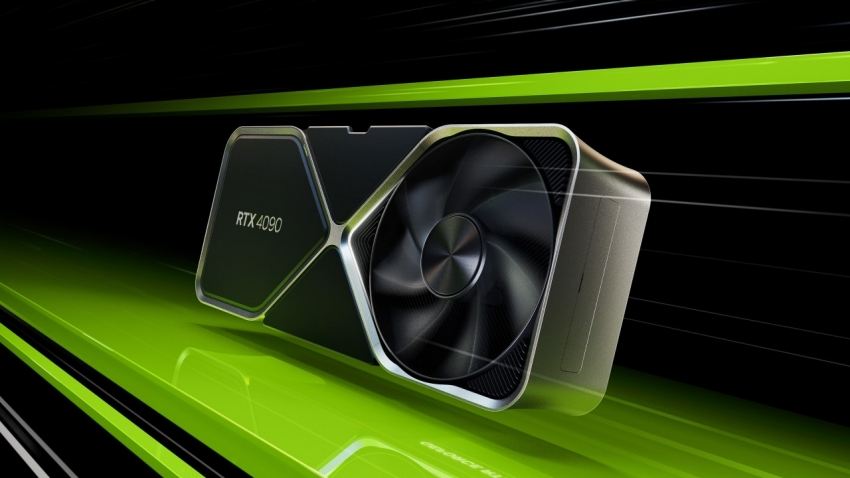
The GPU is the most important part of a gaming PC build. It handles graphics, visuals, and game performance. If gaming is your main goal, this is where a large part of your budget should go.
Motherboard

The motherboard connects all components together. It determines compatibility, expansion options, and features. Always make sure your motherboard supports your chosen CPU and RAM.
RAM (Memory)

RAM helps your PC multitask smoothly. For most users today, 16GB of RAM is the recommended starting point, especially for gaming and everyday use.
Storage (SSD vs HDD)

An SSD is much faster than a traditional hard drive and should be used for your operating system. HDDs can still be useful for extra storage if you’re on a tight budget.
Power Supply (PSU)

The power supply delivers electricity to your system. This is one part you should never cheap out on. Choose a reliable unit with enough wattage and a good efficiency rating.
PC Case

The case holds everything together. Make sure it supports your motherboard size and has good airflow to keep components cool.
Step-by-Step Guide on How to Build a PC
Now let’s get into the actual building process.
Step 1: Prepare Your Workspace

Place your PC case on a flat surface and ensure you have enough light and space. Ground yourself to avoid static electricity.
Step 2: Install the CPU and RAM

Install the CPU into the motherboard carefully, aligning it correctly. Then install the RAM sticks into the recommended slots for dual-channel performance.
Step 3: Mount the Motherboard

Install motherboard standoffs in the case and carefully mount the motherboard using screws.
Step 4: Install Storage and GPU

Install your SSD or HDD, then place the graphics card into the PCIe slot and secure it properly.
Step 5: Install the Power Supply and Connect Cables

Mount the power supply and connect cables to the motherboard, GPU, and storage. Try to keep cables organized for better airflow.
Step 6: First Boot and BIOS Check

Once everything is connected, power on the PC and enter the BIOS to ensure all components are detected correctly.
Common Mistakes Beginners Make When Building a PC

Many first-time builders make similar mistakes. Some common ones include:
Buying incompatible components
Forgetting motherboard standoffs
Choosing a low-quality power supply
Not enabling XMP for RAM in BIOS
Avoiding these mistakes can save you a lot of frustration.
Is Using a PC Builder Tool Worth It?
PC builder tools can be helpful for checking compatibility and planning a build. They are especially useful for beginners. However, relying only on a tool without understanding the components can still lead to poor choices.
Learning how to build a PC and understanding why parts work together is more valuable than blindly following recommendations.
Is it cheaper to build a PC than buy one?
In most cases, building a PC is cheaper than buying a pre-built system with the same performance. When you build a PC yourself, you only pay for the components you actually need, instead of paying extra for branding, assembly, and bundled software that often come with pre-built PCs. Building your own PC also allows you to choose better-quality parts within your budget and upgrade individual components later, which can save money in the long run. However, for very low budgets or during high GPU prices, some pre-built PCs may offer better short-term value.
Final Thoughts
Building a PC is not just about saving money—it’s about understanding your system and having full control over future upgrades. Once you build your first PC, the process becomes much easier and even enjoyable.
Whether you’re planning a budget gaming PC or your first custom setup, taking the time to learn the basics will help you build smarter and avoid unnecessary mistakes.


Comments